
Add a swimmer
Name, date of birth, club and Swim England number.
Each child you track is a swimmer. Add them once and everything (meets, times, PBs and progress) hangs off their profile.
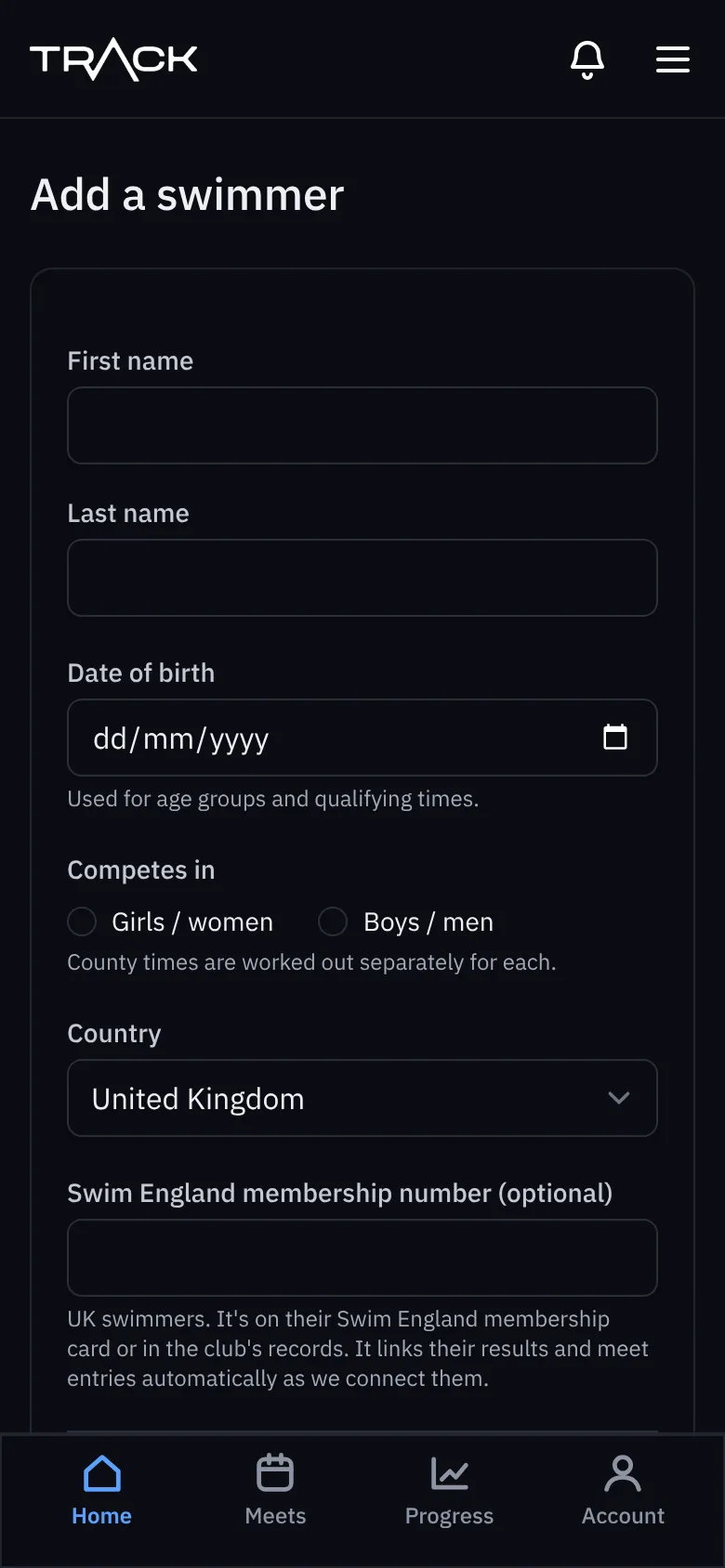
- On Home, press Add a swimmer (on a new account) or + Add next to your swimmers.
- Type their first name, last name and date of birth. The date of birth sets their age group and the qualifying times that apply to them.
- Choose Competes in: girls/women or boys/men. County times are different for each.
- Choose their country.
- Add their Swim England membership number if you have it (optional). It's on their membership card, or ask the club. It's needed to bring in past results.
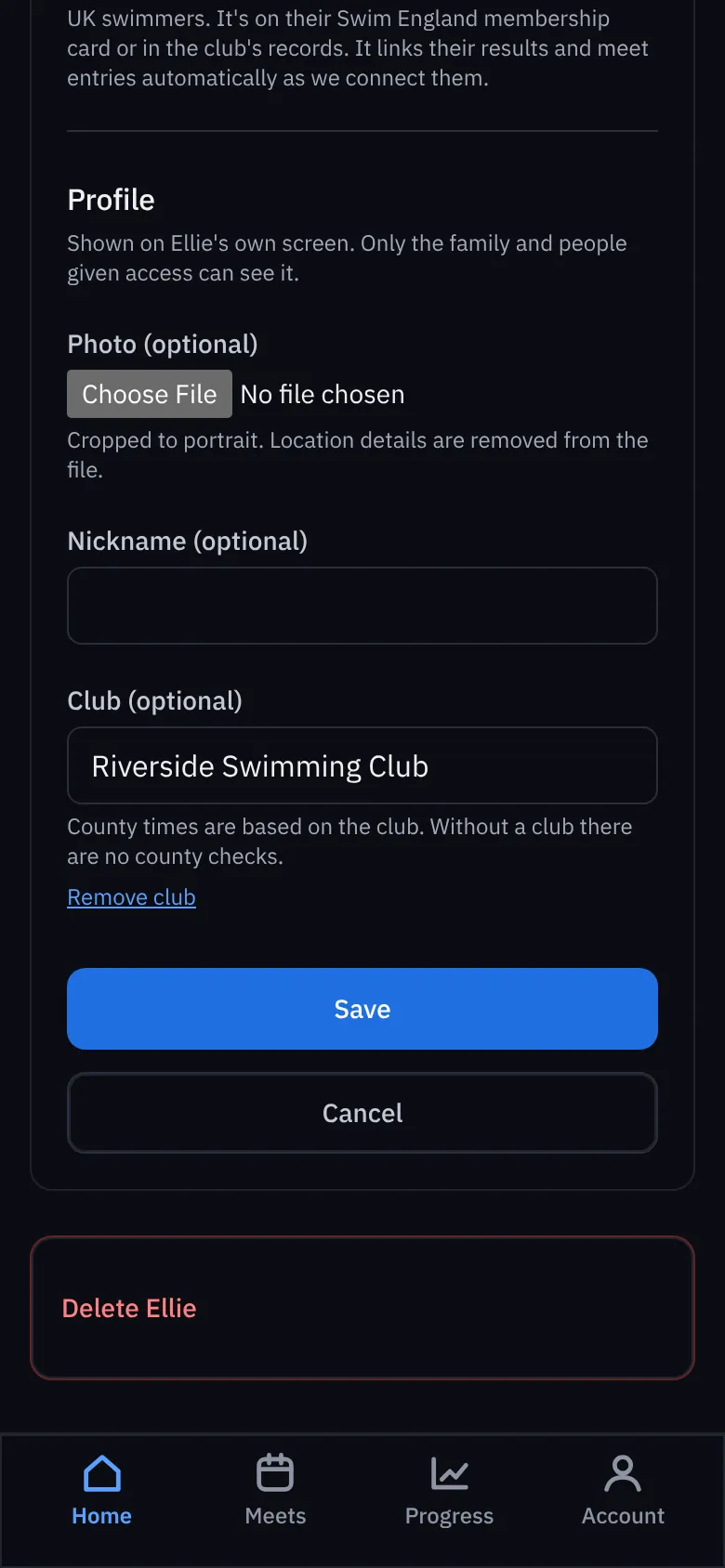
- Choose their club (start typing and pick it from the list). Without a club there are no county time checks, because county times come from the club's county.
- Add a photo and a nickname if you like. These only show on their own screen.
- Press Add swimmer.
Changing details later
Open the swimmer, scroll to Manage and choose Edit profile. You can change their club, add the Swim England number, change the photo, or remove the club. Delete at the bottom removes the swimmer and all their data for good, so download anything you want to keep first (see All results and downloads ).