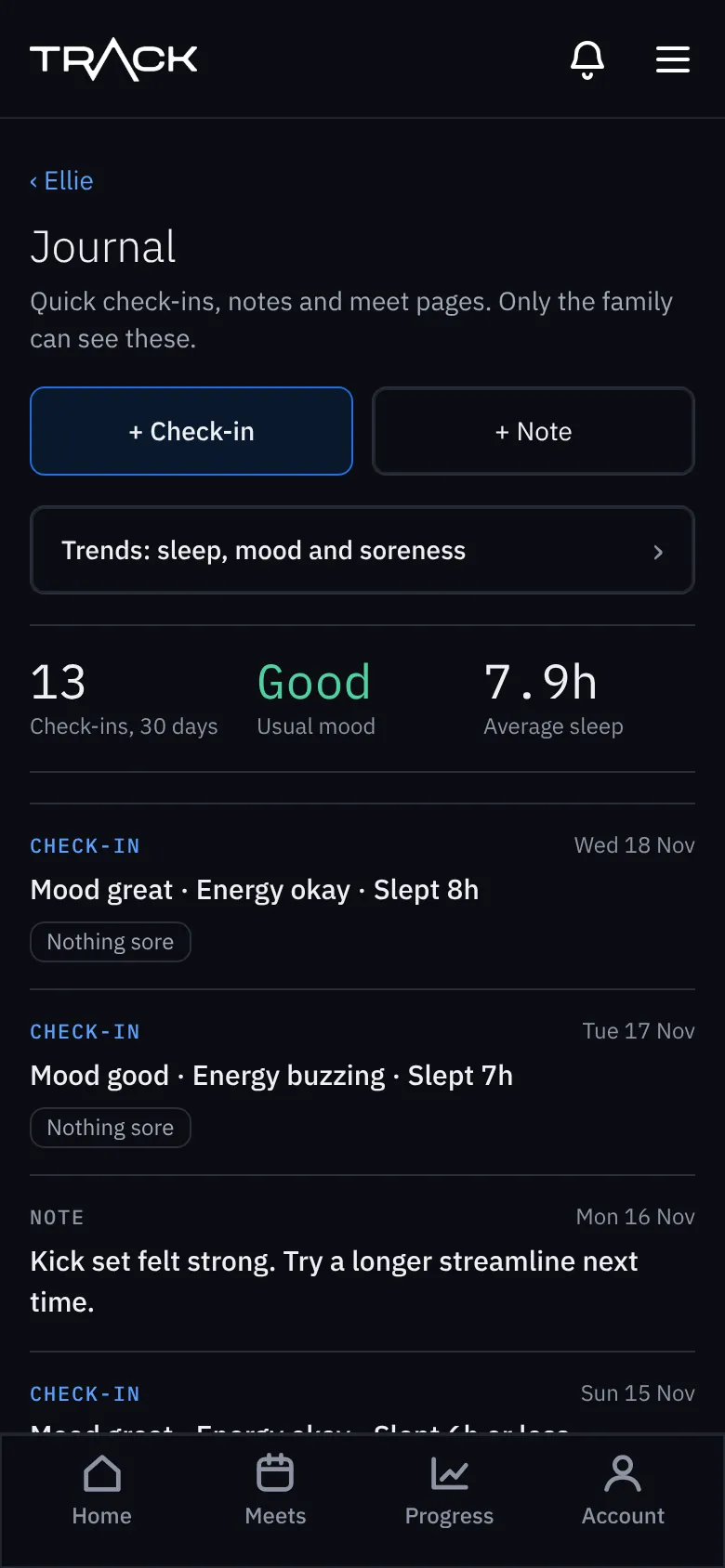
Journal and check-ins
Ten-second check-ins, notes and trends.
The journal keeps track of how your swimmer is between races: quick check-ins, notes, and trends over time. Only your family can see it.
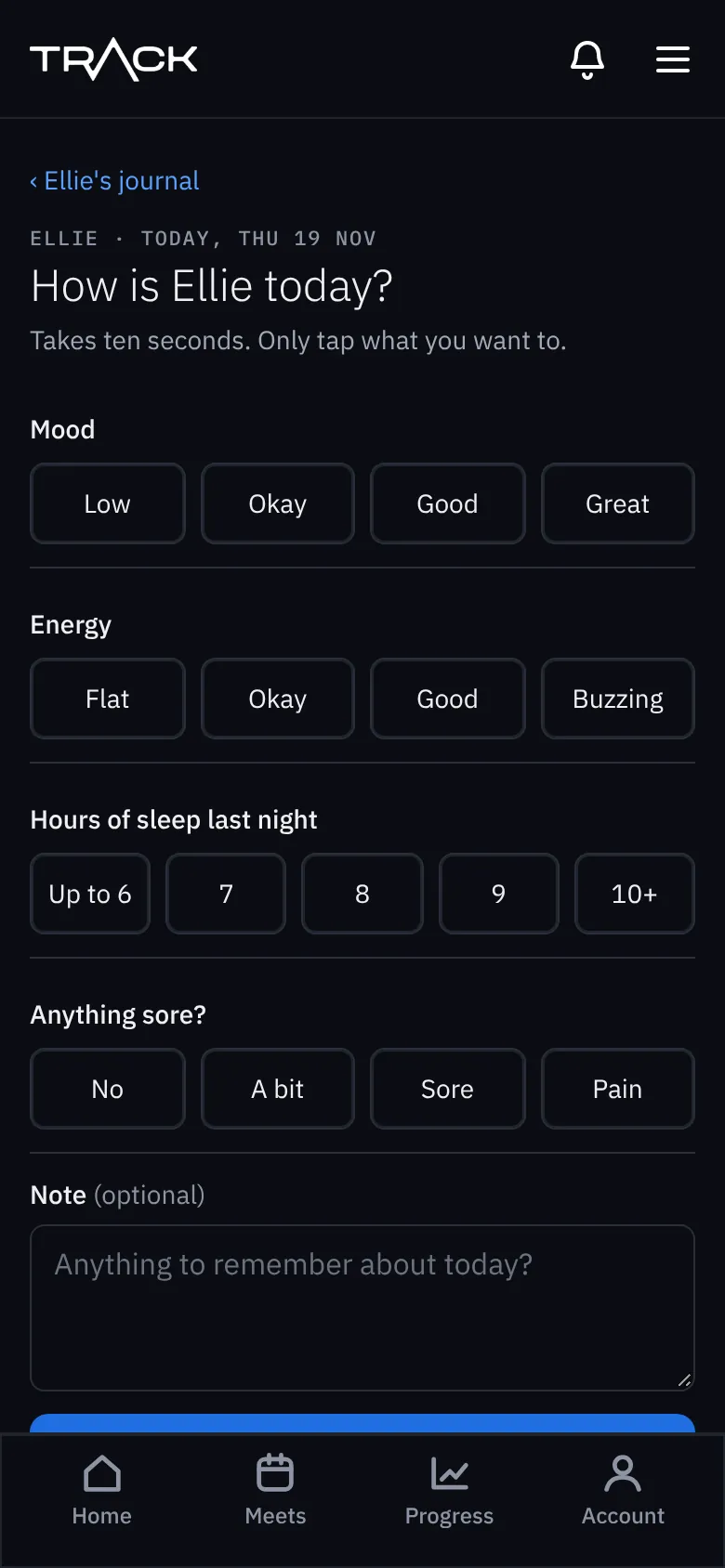
A check-in (ten seconds)
- Open Journal from the swimmer page and press + Check-in.
- Tap their mood, energy, hours of sleep and whether anything is sore. Only tap what you want to.
- Add a note if you like, and press Save check-in.
The first time, we ask you to agree to us keeping check-ins. Mood, sleep and soreness count as health information, so the law asks for your clear agreement. Check-ins are optional, and a child's own login can only do them once you've agreed. To change your mind, open the journal and press Change this at the bottom: check-ins are switched off and the ones saved are deleted.
Notes
Press + Note for anything worth remembering: what the coach worked on, a set that went well.
Trends
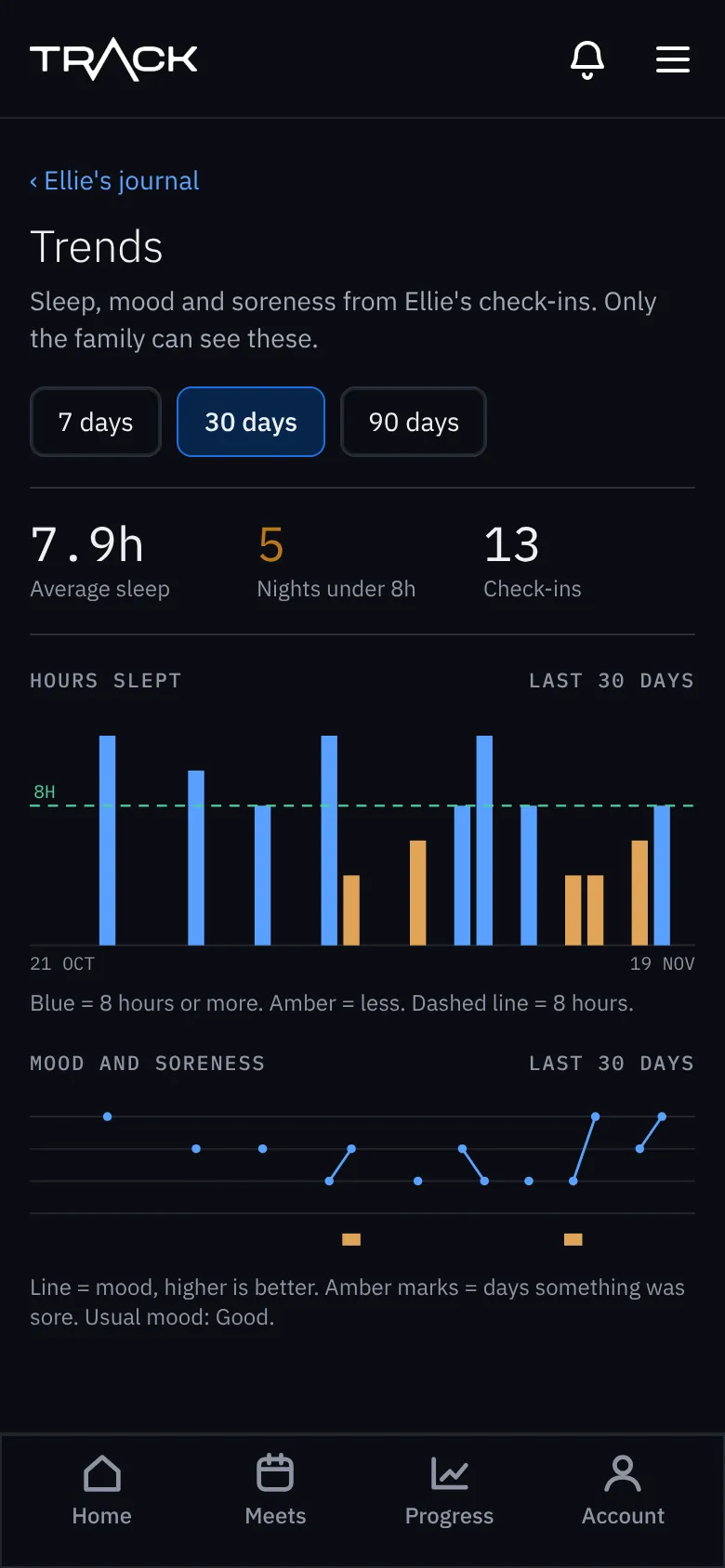
Trends shows sleep, mood and soreness over 7, 30 or 90 days. Blue bars are 8 hours' sleep or more, amber less.