Add a meet
Set up a gala before it starts.
A meet is a gala or competition. Set it up before the day, plan the events, then type the times in as they happen.
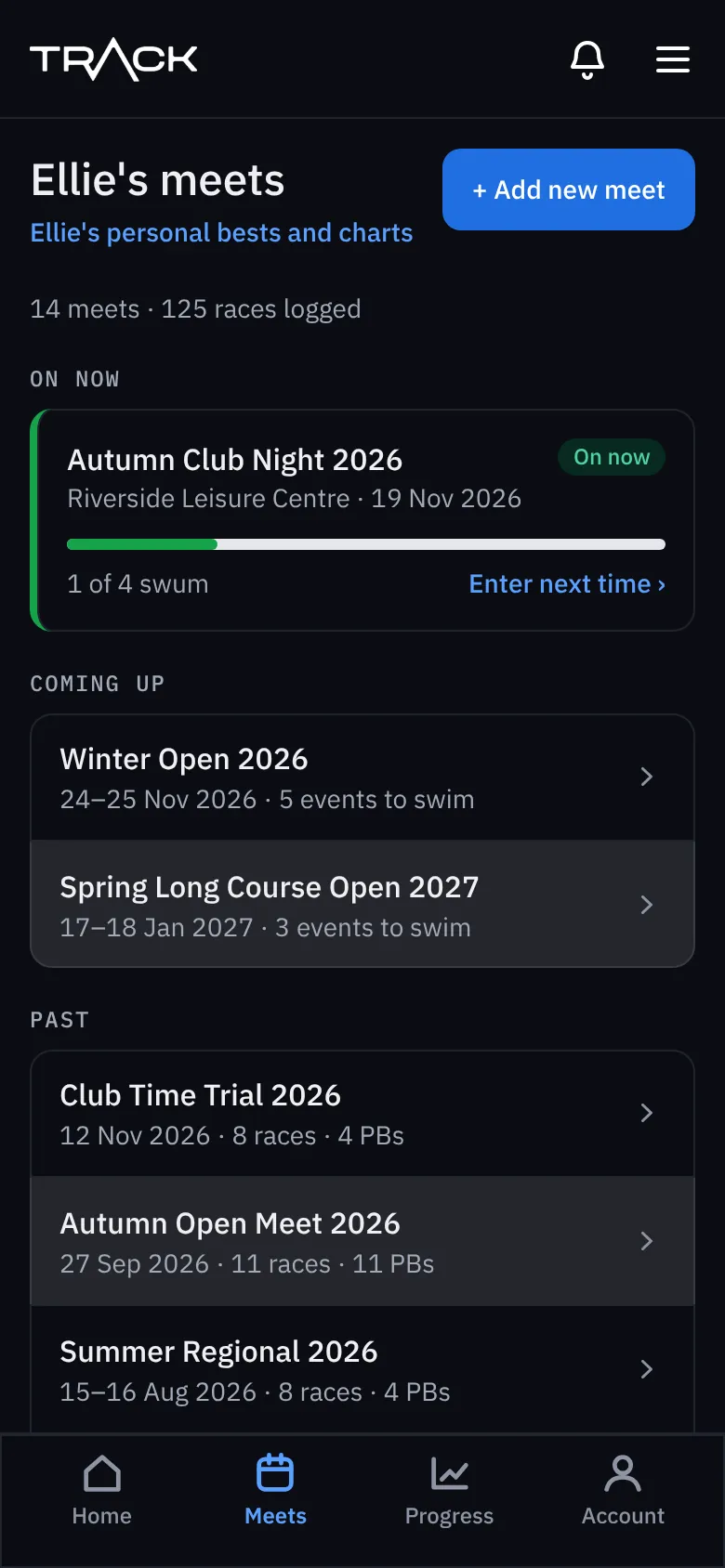
- Go to Meets and press + Add new meet.
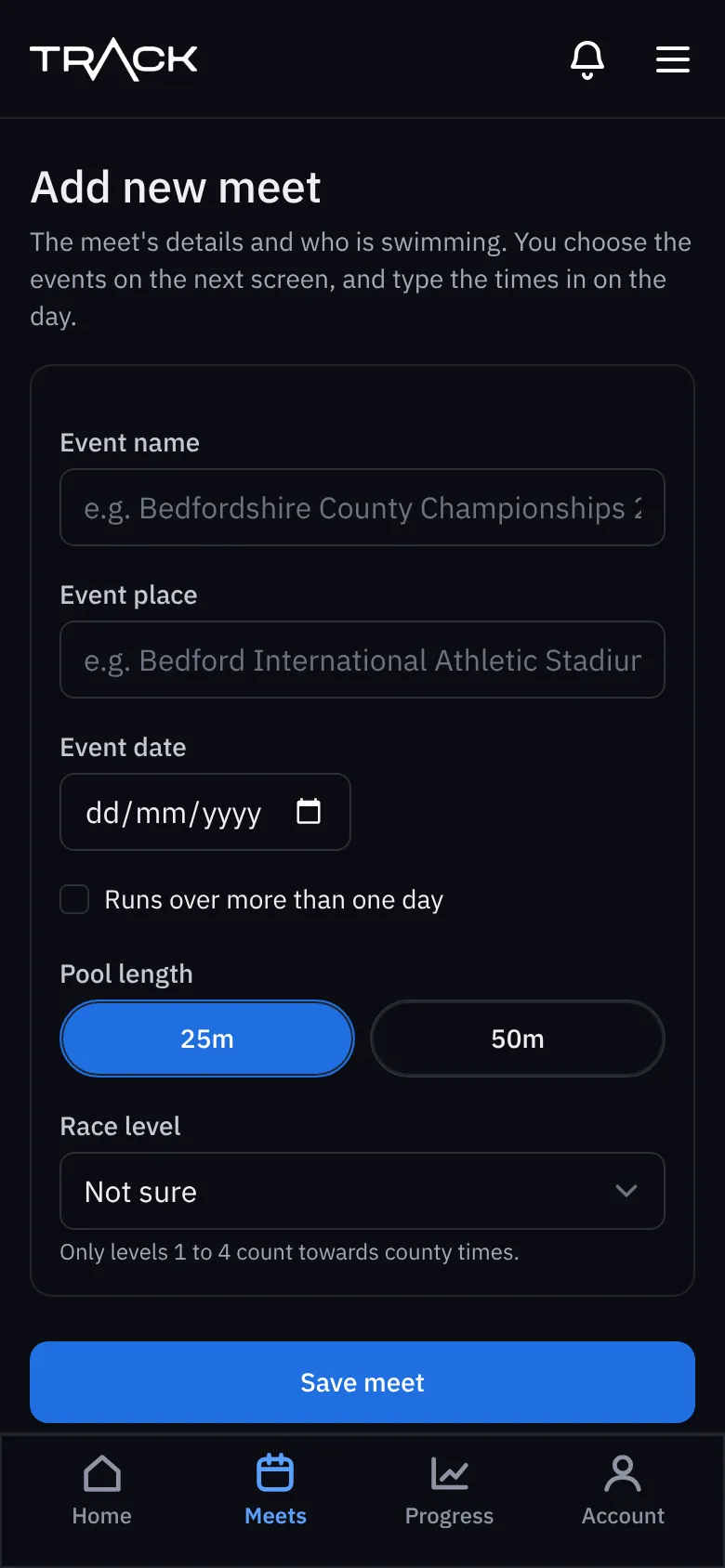
- Type the event name and the place.
- Choose the date. If it runs over more than one day, tick Runs over more than one day and add the last day.
- Choose the pool length: 25m (short course) or 50m (long course).
- If you have more than one swimmer, tick Who is swimming? for everyone at this meet.
- Choose the race level if you know it. It's usually on the meet's information pack. Only levels 1 to 4 count towards county times; club and school galas don't.
- Press Save meet.
If you already have a meet on the same dates and pool, Trackaswim shows it and asks if it's the same one, so you don't end up with two. Press Use this, or tick that yours is a different meet and save again.
Next, choose the events: Plan the events .